


Often people overlook search engine optimization (SEO) for pictures because they are so focused on generating top-notch content and getting visibility.
Through image SEO, you enable the search engines to recognize and understand your website and content. Moreover, you obtain additional exposure from image search results, which are essential for your products and services.
- Fetch optimal image criteria
- Put together your image
- Decide Image Layout
- Image Recognition
- Image Delivery
Step 1: Fetch optimal image criteria
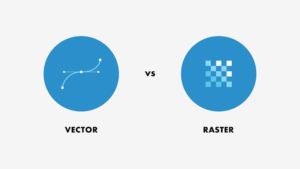
- Choose the image type as needed.
Choose the image type that is easy to work with and is adaptive to changes that are further to be done. There are two types of images: Vector And Raster.
Vector images are simple and flexible to work with whereas raster images are vivid and complex.
- Choose image format wisely.

Once you are done with the image type. Pick the file format as per your requirement. While vector images have choices like AI, EPS, SVG, raster images come with a few image formats to choose from such as JPG, PNG, GIF.
- Create unique images.
Ensure that whatever images you are using for the content, must be unique and customized to fit well with the content.
Step 2. Put together your image.
- Remove Unnecessary Images
Don’t put a lot of images on a single page. Sites with a few eye-catching photos are more likely to be featured in search than pages stuffed with them.
- Avoid Texts In Images
You should not use text in your pictures. It’s of no use since the crawlers can’t read the text from your image, it decreases the chances of picking up that image for search results
- Avoid Copyright
In case of reusing any available image use non-original files, double-check that you have all of the correct permissions.
Step 3. Decide Image Layout
- Compress The Image Files
Compressed images provide the flexibility to showcase the same photo, but for a much smaller file size, thus greater loading speed.
- Resize Images
Resize the images as per the targeted device to avoid the hassle of delayed page load time.
- Adjusting Dimensions
Majorly two aspect ratios are preferred for image content 4:3 which works well with mobile and 16:9 which works great with desktop.
Step 4. Image Recognition
- Customize Image File Names
Search engines categorize images on the basis of file names. Add in the keywords to them to attract traffic to your page.
- Use Alt Tags
Add a brief summary of the image in the alt attribute to make it more accurate for the readers to relate the image with information.
- Include Captions And Surrounding Texts
Captions and other text accompanying the image provide meaning for the image. Try to position your keywords and related phrases close to the star photos. Ensure Text Complements The Image.
Step 5. Image Delivery
- Use Responsive Images
Check the images used must be responsive i.e. load the right image based on device resolution, orientation, screen size, network connection, and page layout for better UI.
- Consider Lazy Loading
Lazy loading can speed up loading on long pages with a lot of images below the fold by loading them only when they’re needed or after the main content has finished loading and processing.
- Enable Browser Caching
Browser caching refers to the storage of images or other files in the browsers of your users.
As a consequence, when they visit your website in the future, things will load quicker for them.


